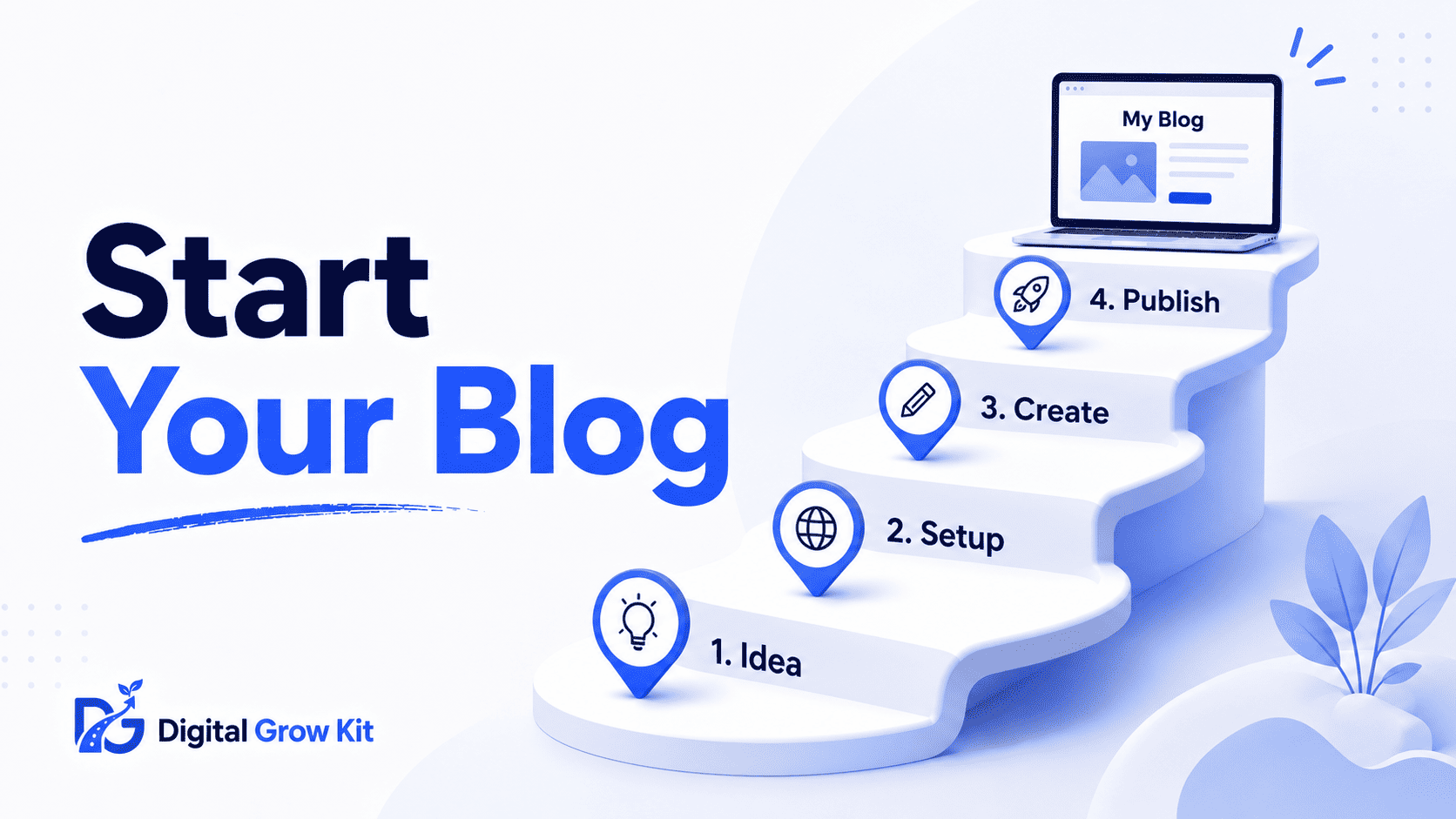
Every “how to start a blog” guide seems to be written for someone who already knows what a niche is, what hosting means, and how WordPress works. If none of that makes sense yet, don’t worry — that’s exactly why this guide exists. Digital Grow Kit starts from zero, explains every term the first time it shows up, and walks through the whole process one simple step at a time.
What Do You Need Before You Start a Blog?
| Term | Meaning |
| Blog | A website where someone regularly shares written content — posts — around a specific topic, usually to help, teach, or entertain readers |
Starting a blog does not take special skills or a big budget. It takes three basic things: an idea worth writing about, a small amount of money for hosting, and a bit of patience while things grow.
Here’s the thing — most people overcomplicate this part. They wait until they feel “ready,” and that day never really comes. Some picture a blog as something that needs a professional design, a big vocabulary, or years of writing experience. None of that is true. A blog is really just a website with regularly updated content, and the setup process is far more mechanical than creative.
The steps below break the whole process down so nothing feels like a mystery. Each one builds on the last, so working through them in order makes the whole thing feel a lot less overwhelming than trying to figure it all out at once.
How Do You Choose a Blog Niche?
| Term | Meaning |
| Niche | A specific topic or area a blog focuses on, instead of trying to cover everything |
Picking a niche means choosing one clear topic to write about instead of trying to cover a bit of everything. A focused blog is easier to grow, because it attracts the same type of reader again and again, and it’s easier to become known for one thing than to be a little bit of everything to everyone.
A good niche usually meets three conditions: genuine interest in the topic, enough content ideas to write about for months, and real people searching for answers in that space. Interest matters more than it might seem — writing about a topic for months or years is much harder without it. Search demand matters too, since a topic nobody looks up online will struggle to attract readers no matter how well it’s written.
To dig deeper into this step, read the full breakdown of what a blogging niche actually means, and if the niche still feels unclear, this guide on how to pick the right niche for you walks through it in detail.
How Do You Pick a Domain Name and Hosting?
| Term | Meaning |
| Domain name | The website address people type to visit a site, like example.com |
| Web hosting | A service that stores a website’s files and makes it visible on the internet |
A domain name is the address people type into their browser to find a blog. Web hosting is the service that stores the blog’s files and keeps it online and accessible. Think of hosting as the land a house sits on, and the domain name as the street address that helps people find it.
Picking a domain name works best when it stays short, easy to spell, and free of numbers or hyphens. It should also hint at the niche without being too narrow, since a name that’s too specific can feel limiting if the blog’s focus shifts down the line.
Hosting matters more than most beginners expect, since a slow or unreliable host can quietly hurt both readers and search rankings. A site that loads slowly tends to lose visitors before they even see the content, and search engines take loading speed into account too.
| Hosting Option | Beginner Friendliness | Typical Starting Price |
| Budget shared hosting | Very beginner-friendly, simple setup | Low |
| Mid-tier managed hosting | Easy setup with more speed and support | Moderate |
| Premium managed hosting | Best performance, less needed for a new blog | Higher |
Hostinger is a solid starting point for a first blog — it keeps setup simple and pricing low, which matters most in the early stage when traffic and budget are both still small.
How Do You Set Up WordPress for Your Blog?
| Term | Meaning |
| WordPress | Free software used to build and manage a website without needing to code |
WordPress runs a huge share of blogs online because it handles the technical side without requiring any coding knowledge. Most hosting providers let it install in just a few clicks from the account dashboard, so the technical barrier here is much smaller than it sounds.
Once WordPress is installed, a few settings deserve attention right away:
- Under Settings, update the site title and tagline so they clearly reflect the blog’s niche
- Under Permalinks, choose the “Post name” structure — this keeps URLs clean, readable, and better for SEO
- Install a simple, mobile-friendly theme, since most readers will visit from a phone
- Delete the default “Hello World” post and any sample pages that come pre-installed
None of this needs to be perfect on day one. WordPress is flexible enough to change themes, settings, and layouts later without starting over, so it’s fine to keep the first setup simple and adjust as the blog grows.
How Do You Write and Publish Your First Blog Post?
| Term | Meaning |
| Blog post | A single published article on a blog, usually built around one topic or question |
A first blog post does not need to be perfect. It needs to answer one clear question a reader might actually search for, in a simple and honest way.
A workable structure looks like this:
- Open with the reader’s problem, stated plainly in the first sentence or two
- Break the content into a few clear sections with short, scannable paragraphs
- Use headings to separate ideas, so readers can skim and still follow along
- Wrap up with a takeaway or a next step the reader can act on
It helps to write the first post about something already familiar — a mistake made, a lesson learned, or a question answered from personal experience. That familiarity tends to come through naturally and makes the writing process much less intimidating.
Once a post is written, WordPress makes publishing simple — the Publish button on the right side of the editor takes it live. Nothing else is required to get started, though double-checking spelling and formatting on a phone screen before publishing is always worth the extra minute.
Can You Start a Blog With No Money?
| Term | Meaning |
| Free blogging platform | A website builder that lets someone publish content without paying for hosting or a domain |
A free blogging platform lets someone start writing without spending anything upfront, though it usually comes with trade-offs — limited design control, a less professional-looking web address, and fewer growth options later.
Money is not a hard requirement to begin. It does become more relevant when trying to build a blog into something that looks professional and grows steadily over time, since a custom domain and reliable hosting tend to matter more as traffic increases. Many bloggers start free and switch to a paid setup once the blog starts gaining traction.
For a full look at the free-vs-paid decision, this guide on starting a blog with little to no budget covers every option in detail.
What Comes After You Publish Your First Post?
| Term | Meaning |
| Blog traffic | The number of visitors who read a blog’s content over a given period |
Blog traffic rarely shows up overnight. Most new blogs need consistent posting and some patience before search engines start sending visitors regularly, and that waiting period is often where beginners lose motivation and give up too soon.
A study or report on how long new websites typically take to start ranking in search engines
The next steps after publishing usually include writing a handful of posts around the chosen niche, learning the basics of SEO so posts have a real chance to rank, and staying consistent even when early growth feels slow. Posting once and waiting rarely works — search engines and readers both respond better to a steady pattern of new content over time.
For a refresher on the fundamentals, this breakdown of understanding what a blog really is is worth revisiting.
A beginner-friendly explanation of how search engines rank content
Important FAQs
Do you need coding skills to start a blog?
No. Tools like WordPress handle the technical side, so no coding knowledge is required to get a blog up and running.
How much does it cost to start a blog?
A basic setup can cost very little, mainly covering hosting and a domain name. Costs go up only when adding premium themes, tools, or plugins.
Which is better for beginners, WordPress or a free blog platform?
WordPress offers more control and room to grow, while a free platform is quicker to start but more limited long-term. Most bloggers serious about growth eventually move to WordPress.
How long does it take to set up a blog?
The technical setup can often be done in a single day. Growing an audience afterward takes much longer and depends on consistency.
Do you need a niche before starting a blog?
Yes, ideally. A clear niche makes it much easier to attract the same type of reader repeatedly and grow faster.
Can you make money from a blog right away?
Rarely. Most blogs take time to build traffic before any real income becomes possible, so early expectations should stay realistic.
What’s the Next Step?
| Term | Meaning |
| Consistency | Publishing new content on a regular, predictable schedule instead of occasionally |
Starting a blog is far less complicated than it first appears once it’s broken into small, manageable steps. The part that actually determines long-term success is consistency — showing up and publishing regularly, even when growth feels slow at first.
The best next move is picking a niche using the guide linked above, since everything else in this process builds on that one decision.