You just saw the words “dofollow” and “nofollow” somewhere and had no clue what either one meant. Then you searched for an answer, and every article made it feel even more confusing. That stops right here — this guide explains both terms in plain English, starting from zero.
What Do Dofollow and Nofollow Links Actually Mean?
| Term | Meaning |
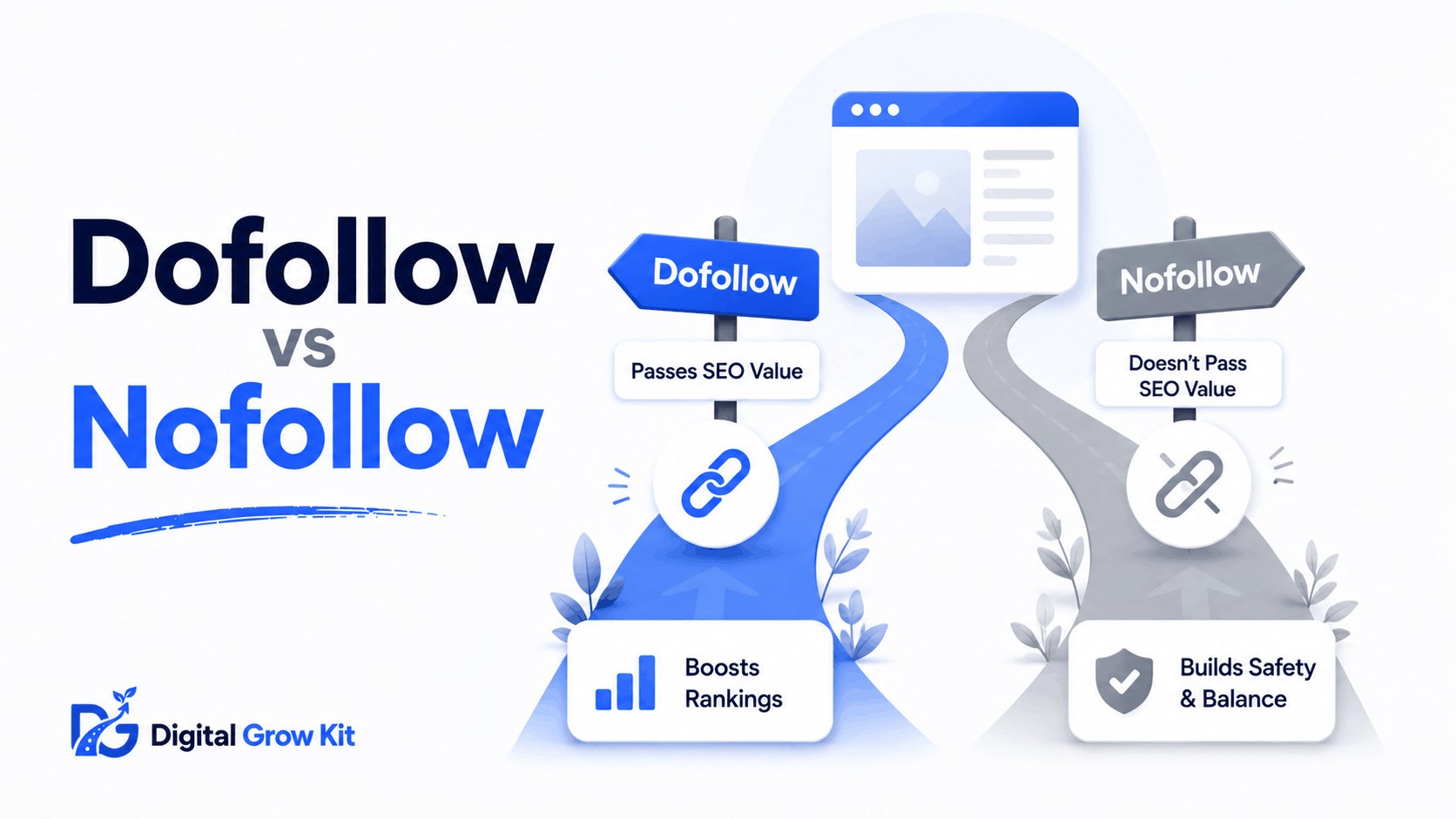
| Dofollow link | A normal link that tells Google to follow it and pass some trust to the page it points to. |
| Nofollow link | A link that tells Google not to pass trust to the page it points to, even though people can still click it. |
Here’s the thing — every link on the internet is either dofollow or nofollow by default. You just never see a label on it.
A link is simply clickable text or an image that takes a visitor from one page to another. Most links you see every day are dofollow links. That’s actually the default setting. Nobody has to add anything special to make a link dofollow — it just happens automatically unless someone tells Google otherwise.
A nofollow link is different. Someone has to add a small piece of code to the link on purpose. That code tells Google, “you can visit this link, but don’t treat it as a vote of confidence for the page it goes to.”
So why would anyone want to do that? Good question. Nofollow links exist so website owners can link out to other pages — in comments, in paid posts, in user-submitted content — without accidentally handing over their site’s trust to pages they can’t fully vouch for.
How Does Google Treat Dofollow vs Nofollow Links?
| Term | Meaning |
| Link equity | The trust and ranking value that one page passes to another through a link. Some people call it “link juice.” |
So what does that mean for you? Think of link equity like a recommendation. When one website links to another with a dofollow link, it’s kind of like saying, “I trust this page enough to send my visitors there.” Google notices that recommendation and lets it count, at least a little, toward how trustworthy or useful the linked page seems.
A nofollow link doesn’t work that way. Google still knows the link exists. Visitors can still click it and land on the other page. But Google generally does not use that link as a signal of trust between the two sites. The linked page doesn’t gain any of that ranking benefit — or at least, not in the same direct way a dofollow link would give it.
This matters a lot when it comes to backlinks, which are links pointing to your site from somewhere else on the internet. A backlink that happens to be dofollow generally helps your site’s authority more than one that’s nofollow. That doesn’t mean nofollow backlinks are worthless — more on that in a bit.
It also ties into off-page SEO, which covers everything that happens away from your own site that still affects how well it ranks. Dofollow and nofollow links are a core part of that picture.
What Does a Dofollow or Nofollow Link Look Like in the Code?
| Term | Meaning |
| rel=”nofollow” | A small tag added inside a link’s code that tells search engines not to pass trust through that link. |
Don’t worry — this is simpler than it sounds, even if you’ve never opened a website’s code before.
A normal dofollow link looks something like this in the background code of a page:
<a href=”https://example.com”>click here</a>
Nothing extra is added. That’s what makes it dofollow — the absence of any special tag.
A nofollow link has one extra piece added to it:
<a href=”https://example.com” rel=”nofollow”>click here</a>
That little rel=”nofollow” piece is the entire difference. It’s just a short instruction sitting quietly inside the link’s code, invisible to anyone reading the page normally.
| Link Type | Code Example | What It Tells Google |
| Dofollow | <a href=”…”>text</a> | Pass trust to this page |
| Nofollow | <a href=”…” rel=”nofollow”>text</a> | Don’t pass trust to this page |
You’ll never need to memorize this code to use it. Most website builders let you toggle a link between dofollow and nofollow with a simple checkbox. But knowing what’s happening underneath helps everything else in this post make more sense.
Are There Other Types of Nofollow Tags?
| Term | Meaning |
| rel=”sponsored” and rel=”ugc” | Two extra tags that tell Google more specifically why a link is nofollow — because it’s paid for, or posted by a user. |
Here’s something most beginner guides skip. Nofollow isn’t the only tag out there anymore. Google introduced two more specific versions to give website owners a clearer way to label their links.
rel=”sponsored” is meant for links that are paid for in some way. Think of an advertisement, a sponsored blog post, or an affiliate link. Google wants this labeled clearly so it knows the link exists because of a business deal, not a genuine editorial recommendation.
rel=”ugc” stands for “user-generated content.” This tag is meant for links that appear in comments, forum posts, or anywhere a visitor — not the site owner — added the link themselves.
| Tag | Used For |
| rel=”nofollow” | General-purpose, any link the owner doesn’t want to vouch for |
| rel=”sponsored” | Paid links, ads, affiliate links |
| rel=”ugc” | Links posted by users, like comments |
None of these three carry ranking trust the way a dofollow link does. They just give Google slightly more context about why that trust isn’t being passed along.
Do Nofollow Links Still Help Your SEO?
| Term | Meaning |
| Referral traffic | Visitors who click a link on one website and land on yours, regardless of whether that link was dofollow or nofollow. |
This is probably the question that brought you here, so let’s be honest about it. A nofollow link is not a waste of time. It just helps in a different way than a dofollow link does.
Even though a nofollow backlink doesn’t pass ranking trust directly, it can still send referral traffic — real people clicking through and visiting your site. Traffic like that can lead to email signups, sales, or repeat visitors, none of which require a dofollow tag to happen.
There’s also a bigger-picture reason nofollow links matter. A healthy backlink profile — meaning the full mix of links pointing to your site — usually includes both dofollow and nofollow links. If every single backlink to a site is dofollow, it can actually look unnatural to Google, almost like something was manipulated on purpose. A natural mix, including some nofollow links, tends to look more like something an actual person built over time.
Genuine link building focuses on earning links because your content is genuinely useful, not chasing dofollow tags specifically. Do that consistently, and the mix tends to sort itself out.
How Can You Check If a Link Is Dofollow or Nofollow?
You don’t need any technical skill for this. Here’s a simple step-by-step way to check any link on any page.
- Right-click on the link you want to check.
- Choose “Inspect” or “Inspect Element” from the menu that appears. This opens a small panel showing the page’s code — don’t worry, you don’t need to understand all of it.
- Look for the highlighted line of code. It will show the link’s web address.
- Check whether that line includes rel=”nofollow”, rel=”sponsored”, or rel=”ugc”. If none of those appear, the link is dofollow.
Inspect element is a built-in tool in every modern browser that lets you peek at a page’s code without changing anything on it. It sounds intimidating, but it’s completely safe to open and close.
If digging through code isn’t your thing, there’s an easier route. Several free browser extensions can scan an entire page and instantly color-code every link as dofollow or nofollow, no manual searching required.
Want a more complete view of the links pointing to your own site? Google Search Console is a free tool from Google that shows you which pages are linking to your site, though it won’t break every link down by dofollow or nofollow status individually. It’s still one of the most useful free tools a beginner can set up early on, since it shows how Google sees your site overall.
Should You Use Dofollow or Nofollow Links on Your Own Blog?
| Term | Meaning |
| Outbound link | Any link on your website that points away from your site to a different website. |
Now flip the question around. What about the links you add on your own blog?
A simple rule works well here. If you’re linking to a source you genuinely trust and want to vouch for — a helpful study, a tool you actually use, a related article — a normal dofollow link is completely fine. That’s what dofollow links are for.
If the link is paid, an affiliate link, or something you can’t fully vouch for, adding a nofollow (or the more specific sponsored) tag is the honest move. It keeps you transparent with both Google and your readers.
Every outbound link you add should also use clear, natural anchor text — the clickable words themselves — so both readers and Google understand exactly where that link leads before they even click it.
Important FAQs
Is a nofollow link bad for SEO?
No. It simply doesn’t pass ranking trust the way a dofollow link does. It can still bring real visitors to your site and helps your backlink profile look natural.
Can a nofollow link still send traffic to my site?
Yes. Nofollow only affects how Google treats the link for ranking purposes. Anyone can still click it and land on your page like normal.
How do I know if a backlink I got is dofollow or nofollow?
Right-click the link, choose “Inspect,” and look for a rel=”nofollow” tag in the code. No tag usually means it’s dofollow.
Do social media links count as dofollow or nofollow?
Most major social media platforms use nofollow links by default on posts and profiles, since anyone can post content there.
Should every link on my blog be dofollow?
No. A natural mix of both, based on whether you genuinely vouch for each link, looks healthier than making every single one dofollow.
What’s the difference between nofollow and sponsored tags?
Nofollow is a general-purpose tag. Sponsored is specifically meant for paid links, like ads or affiliate placements, so Google knows exactly why the trust isn’t being passed.
What to Do Next
Now that dofollow and nofollow links actually make sense, take five minutes and check a few links on your own blog using the inspect method above. See which ones are dofollow and which aren’t — you might be surprised. From there, read the guide on what backlinks are to understand how all of this fits into growing your site’s authority over time.